


KUs là tập tin giúp bạn thay đổi phiên bản Windows hiện có sang phiên bản Windows khác. Ví dụ: từ Win 11 Home sang Win 11 Pro, hoặc từ Win 11 Enterprise sang Win 10 Home,… muốn chuyển qua Win nào cũng được. Chỉ cần có tập tin của phiên bản Windows là được. Hôm nay mình sẽ chia sẻ cho bạn tập tin SKUs và cách nạp SKUs để bạn thoải mái thay đổi phiên bản Windows đang sử dụng sang phiên bản khác.
1. Link tải SKUs Windows
2. Hướng dẫn nạp SKUs Windows
Đầu bạn tải SKUs Windows 10/11 về máy tính
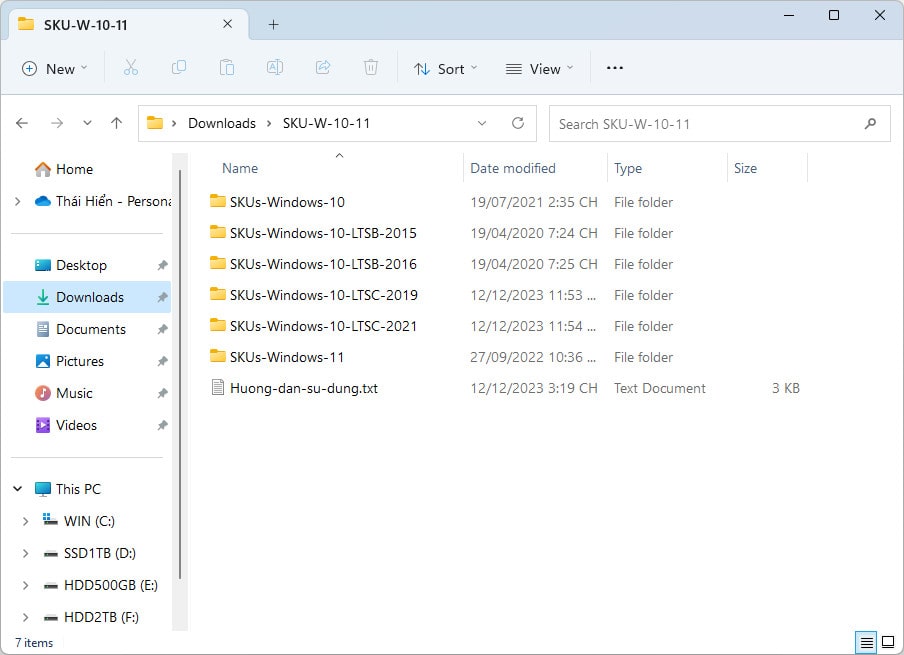
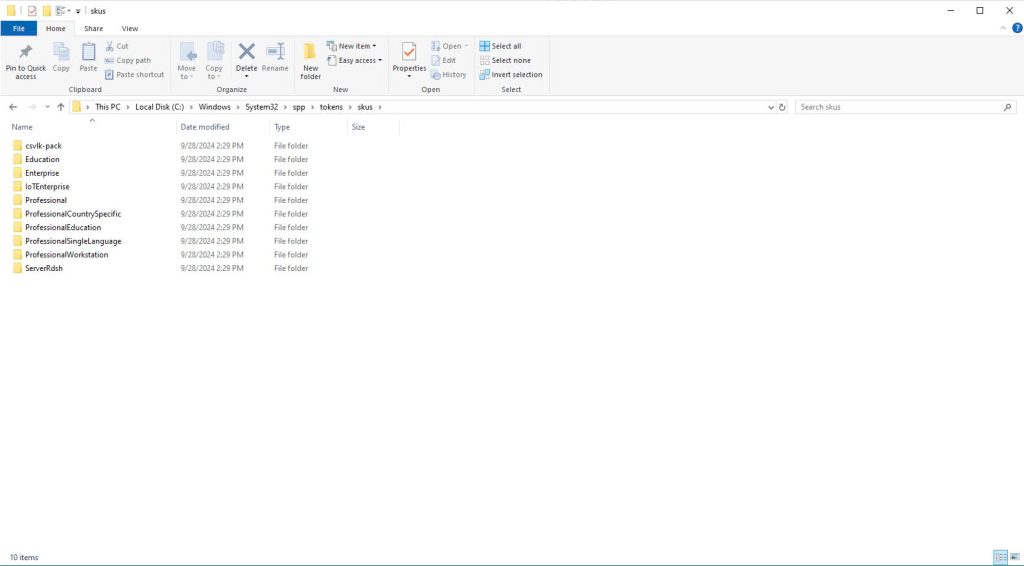
Dán vào thư mục C:\Windows\System32\spp\tokens\skus của Windows hiện tại
Bạn gõ cmd vào ô tìm kiếm Windows, nhấn chuột phải vào Command Prompt chọn Run as administrator để mở nó lên. Đảm bảo xuất hiện C:\Windows\system32>.
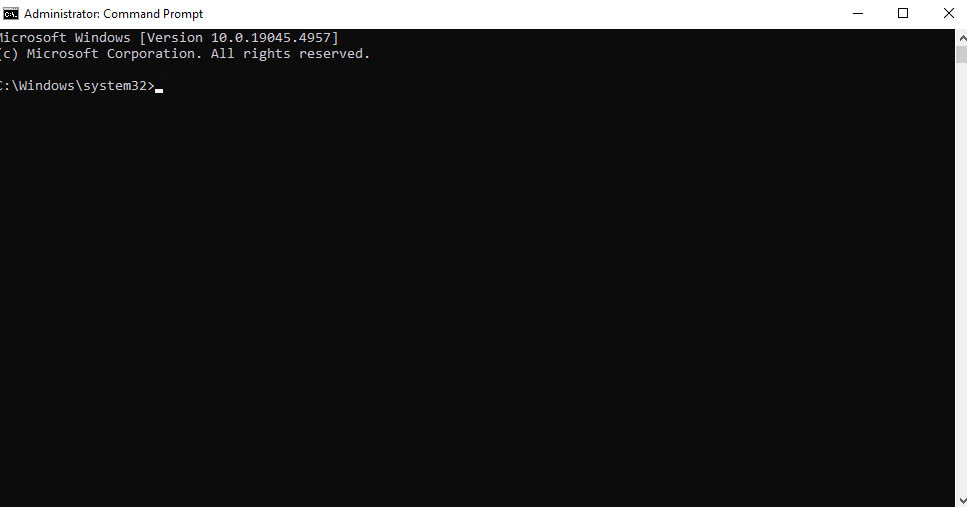
Sau đó sao chép nội dung tương ứng với phiên bản Windows muốn chuyển qua vào CMD là được (nhấn chuột quét toàn bộ rồi sao chép lại, sau đó nhấn chuột phải vào CMD là nó tự động dán nội dung vào).
- Nếu muốn chuyển Win hiện tại qua Windows 10/11 Pro
cscript.exe %windir%\system32\slmgr.vbs /rilc
cscript.exe %windir%\system32\slmgr.vbs /upk >nul 2>&1
cscript.exe %windir%\system32\slmgr.vbs /ckms >nul 2>&1
cscript.exe %windir%\system32\slmgr.vbs /cpky >nul 2>&1
cscript.exe %windir%\system32\slmgr.vbs /ipk VK7JG-NPHTM-C97JM-9MPGT-3V66T
sc config LicenseManager start= auto & net start LicenseManager
sc config wuauserv start= auto & net start wuauserv
clipup -v -o -altto c:\
echo
- Nếu muốn chuyển Win hiện tại qua Windows 10/11 Home
cscript.exe %windir%\system32\slmgr.vbs /rilc
cscript.exe %windir%\system32\slmgr.vbs /upk >nul 2>&1
cscript.exe %windir%\system32\slmgr.vbs /ckms >nul 2>&1
cscript.exe %windir%\system32\slmgr.vbs /cpky >nul 2>&1
cscript.exe %windir%\system32\slmgr.vbs /ipk YTMG3-N6DKC-DKB77-7M9GH-8HVX7
sc config LicenseManager start= auto & net start LicenseManager
sc config wuauserv start= auto & net start wuauserv
clipup -v -o -altto c:\
echo
- Nếu muốn chuyển Win hiện tại qua Windows 10 LTSC 2021
cscript.exe %windir%\system32\slmgr.vbs /rilc
cscript.exe %windir%\system32\slmgr.vbs /upk >nul 2>&1
cscript.exe %windir%\system32\slmgr.vbs /ckms >nul 2>&1
cscript.exe %windir%\system32\slmgr.vbs /cpky >nul 2>&1
cscript.exe %windir%\system32\slmgr.vbs /ipk M7XTQ-FN8P6-TTKYV-9D4CC-J462D
sc config LicenseManager start= auto & net start LicenseManager
sc config wuauserv start= auto & net start wuauserv
clipup -v -o -altto c:\
echo
Chờ CMD chạy xong, bạn khởi động lại máy tính là thành công ạ!


up4jbj